Welcome to The Document Foundation Planet

This is a feed aggregator that collects what LibreOffice and Document Foundation contributors are writing in their respective blogs.

To have your blog added to this aggregator, please mail the website@global.libreoffice.org mailinglist or file a ticket in Redmine.


Friday
04 September, 2026


face

Berlin, 4 September 2026 – The Document Foundation today announced the release of LibreOffice 26.2.6, the sixth maintenance update to the LibreOffice 26.2 branch. Building on the major feature release published on February 4, 2026, this update delivers targeted bug fixes and stability improvements contributed by a global community of developers and QA engineers.

LibreOffice 26.2.6 is available for immediate download at libreoffice.org/download for Windows, macOS, and Linux.

List of fixes in RC1: Releases/26.2.6/RC1. List of fixes in RC2: Releases/26.2.6/RC2.

LibreOffice users, free software advocates and community members can support The Document Foundation and the LibreOffice project with a donation at libreoffice.org/donate.

Q&A — LibreOffice 26.2.6

Q: What is LibreOffice 26.2.6?

LibreOffice 26.2.6 is the sixth maintenance update to the LibreOffice 26.2 branch, released by The Document Foundation on 4 September 2026. It delivers targeted bug fixes and stability improvements over the major feature release published on 4 February 2026.

Q: When was LibreOffice 26.2.6 released?

4 September 2026.

Q: Where can I download LibreOffice 26.2.6?

From https://www.libreoffice.org/download/, for Windows, macOS, and Linux.

Q: Which operating systems does LibreOffice 26.2.6 support?

Windows, macOS, and Linux.

Q: What is the next version of LibreOffice after 26.2.6?

The Document Foundation will announce LibreOffice 26.8.1 on 17 September 2026, and LibreOffice 26.2.7 on 29 October 2026.

Q: Where can I find the full list of fixes in LibreOffice 26.2.6?

RC1: https://wiki.documentfoundation.org/Releases/26.2.6/RC1 — RC2: https://wiki.documentfoundation.org/Releases/26.2.6/RC2

Q: Who develops LibreOffice 26.2.6?

A global community of volunteer and professional developers and QA engineers, coordinated by The Document Foundation, the Berlin-based non-profit behind LibreOffice.

Q: How much does LibreOffice 26.2.6 cost?

Nothing — LibreOffice is free and open source software. Users and advocates can support the project with a donation at https://www.libreoffice.org/donate.


Thursday
03 September, 2026


face

One of the comments on the announcement of LibreOffice 26.8 was a simple question: “So, no AI is now a feature?”

LibreOffice does not reject artificial intelligence out of hand, but an office suite used by tens of millions of people – in schools, hospitals, public bodies, law firms and thousands of other organisations – will not add a feature to its default configuration until that feature can be delivered under the conditions defined by the project in accordance with its principles.

User-controlled execution. The user must be able to choose where inference takes place: on the local computer, on an infrastructure directly controlled by the user, or on a service chosen independently by the user. A default setting that silently redirects to a single provider is not a choice.

No content may leave the computer without authorisation. The content of documents is a user’s asset and, in many implementations, is also legally protected material: medical records, case files, tender documents and student data. Transmission must be the result of a user’s decision and not behaviour carried out in the background by the application.

No telemetry of any kind. LibreOffice does not collect usage data, and this must also apply to AI features.

No dependence on a single provider. An integration that only works with a single company’s API is a lock-in mechanism, regardless of how it is described in the release notes. Interfaces should be open and implementable by multiple backends.

No compromises on format. Generated content must be in ODF format, just like any other content, and must retain its structure, styles and semantics. An assistant that generates documents in a proprietary format perpetuates content lock-in.

Entirely optional. It must be installable, removable, and absent from the user interface for those who do not wish to use it, including administrators deploying the software across thousands of workstations who, due to company policy, do not authorise its use.

Where we stand today

In light of this list, there is no integration that meets all the requirements and that could be deployed, enabled by default, and supported throughout the entire lifecycle of a release. This is an assessment of the current state of the technology and the solutions based on it, and not a judgement on the value of the sector.

In the meantime, users who wish to use AI features can install one of the available extensions, which can be found either on the LibreOffice extensions website or distributed independently. Most connect to a locally running model via Ollama, LM Studio or another OpenAI-compatible endpoint, which means the document never leaves the computer.

These are third-party extensions at various stages of maturity, developed and maintained by their respective authors rather than by The Document Foundation. Users and administrators should assess them as they would any third-party component, checking whether a cloud endpoint is configured and what the provider does with the data it receives. The extension mechanism offers AI functionality to those who want it, without any


face

por Heiko Tietze A principios de este año realizamos una encuesta sobre LibreOffice Base. Al igual que en los cuestionarios sobre LibreOffice Draw (véase la primera y la segunda publicación del blog) y sobre LibreOffice Calc, preguntamos acerca de los casos de uso, las características más importantes y los principales


face

Hace una semana anunciamos LibreOffice 26.8, nuestra gran actualización más reciente. Incluye nuevas funciones, además de numerosas mejoras de compatibilidad y rendimiento. Entonces, ¿qué ha ocurrido durante esta semana? Veamos algunas estadísticas… 1.031.162 descargas Esta es la cifra más alta de descargas durante la primera semana de cualquier versión de


face

Earlier this year we ran a survey about LibreOffice Base. Similar to the questionnaires about LibreOffice Draw (see first and second blog post) and LibreOffice Calc, we asked about use cases, the most important features, the pain points – and what users expect in the future to support development and to gather ideas how the user interface and workflow can be improved. In total, 455 participants completed the questions. Thanks a lot to everyone who took the time!

Demographics

As usual, the survey is heavily biased. The attendees self-estimate their expertise above the average, run the application more frequently, and show a different distribution in operating system usage compared to regular users.

Applications

To start off, we asked what tools they use. We included Spreadsheet Tools to also cover users who do not actually use a database, but think of a spreadsheet as kind of data storage. Participants responding None, obviously not managing any database, got a different follow-up question.

What tools do you use to manage databases?

Features

To trigger the idea of the following open questions, we asked about the importance of different features. Unlike the large number of functions in other modules, Base offers queries, reports, forms, tables, etc. which are all essential for the work with databases. Therefore we collected some features that may or may not be relevant for a sub-group or have room for improvements.

How important are these features for you?

What is your use case for the database management system?

People understand the question differently, and reply very short or rather verbosely. The answers may point to a professional environment if “payroll information for up to 10000 people” is mentioned, over SME’s processing order management, production count, and shipment status, to obviously private usage. The following attempt to categorize the answers cannot do justice to the variety of all replies:

  • Catalogs/Inventory: In-house Bakery, Receipts, Music/Books, CD/DVD, Musical scores. Plant samples, Publications/Scientific research, Health data
  • Web/Software: Backend storage, Software development, Websites, Managing SQL
  • ERP/Finance: Order management/Production count/Shipment status, Invoicing, User data, Cost management, Expenses,
  • Storing addresses and mail merge processing

For example:

“I use it mostly as place to store sensitive customers data. But since I have small quantities of information, I switched to LibreOffice Calc, which files can be also locked with the password.”

“Smaller business applications in the freight forwarding and logistics sectors, such as fleet management, warehouse management, category management, and invoicing.”

“Managing geospatial information with PostgreSQL/PostGIS and creating reports with the information from the attribute table using LibreOffice Base/Writer.”

“Storing data when it gets too big/slow for a CSV file for personal or internal work (engineering) projects.”

In your opinion, which LibreOffice Base features (if any) need improvement the most, and why?

The majority asks for improvements to the user interface with less clutter and a more attractive design. The workflow and user experience should become either simplified or more powerful, depending on the expertise and the scenario


Wednesday
02 September, 2026


face

One week ago, we announced LibreOffice 26.8, our brand new major update. It’s full of new features, and has many improvements to compatibility and performance too. So, what has happened in the week since then? Let’s check out some statistics…

1,031,162 downloads

This is the highest number of downloads in the first week of any LibreOffice release! These are just stats from our official downloads page, of course – many Linux users will have acquired the new release via their distribution’s package repositories.

50,061 views, shares and likes on social media

Combining our Mastodon, Bluesky, X/Twitter (not used so much now) and Facebook posts about the announcement, and all the likes, shares, views and comments, we get over 50,000. Thanks to everyone who spread the word on social media! 😊

20,918 video views

Our “LibreOffice 26.8 – New Features” video (shown below), has subtitle translations in 32 languages, thanks to our worldwide community, who localised the video on this page. (The video is also available on PeerTube.)

Please confirm that you want to play a YouTube video. By accepting, you will be accessing content from YouTube, a service provided by an external third party.

YouTube privacy policy

If you accept this notice, your choice will be saved and the page will refresh.

Many thanks to our worldwide community of volunteers, and certified developers, for all their work on this release 😊


Tuesday
01 September, 2026


face

Monthly recap banner

Here’s our summary of updates, events and activities in the LibreOffice project in the last four weeks – click the links to learn more…

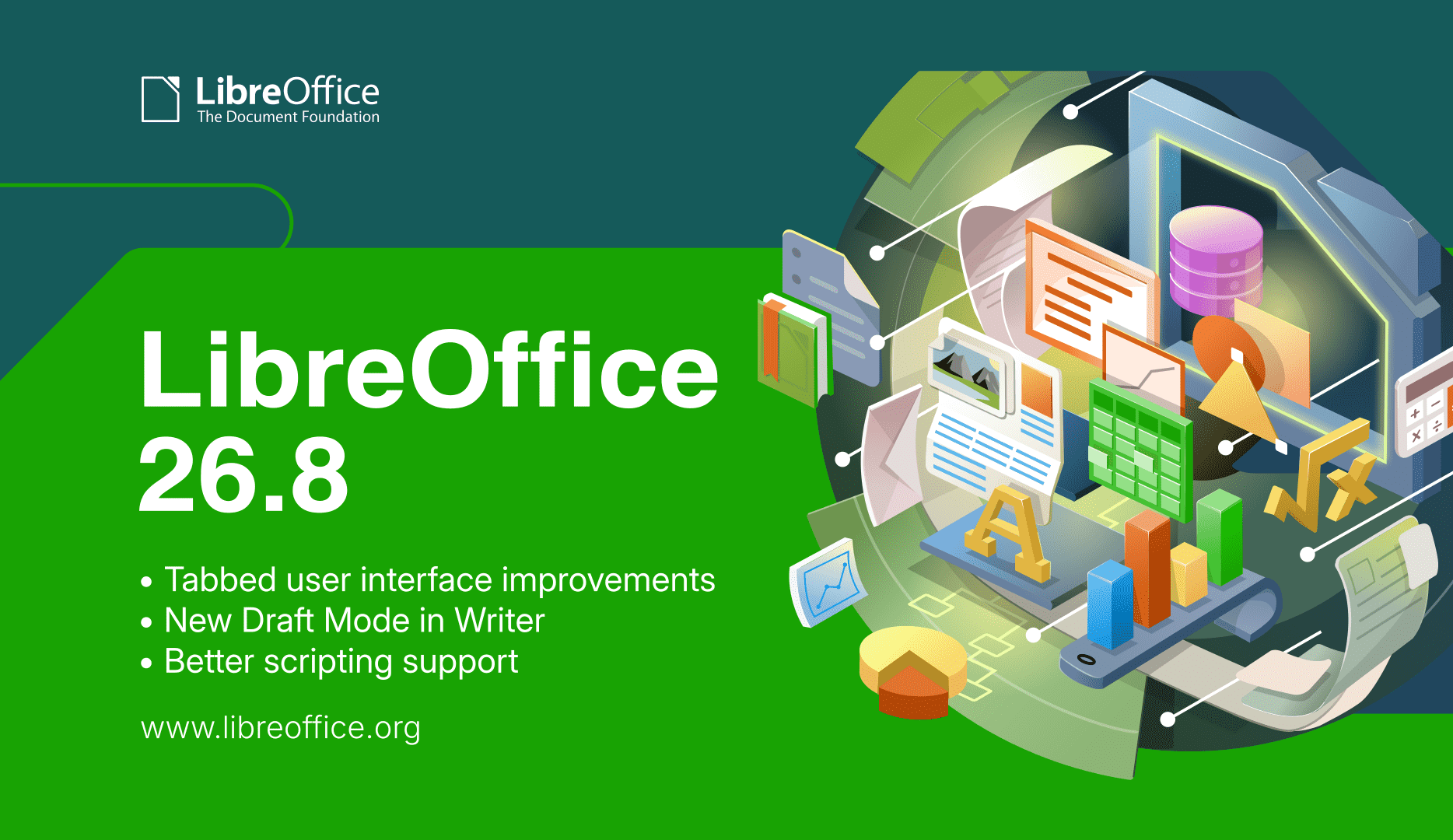
  • We released LibreOffice 26.8, our latest major update, with tabbed UI improvements, professional typography, deeper support for the world’s writing systems, and no built-in artificial intelligence.

LibreOffice 26.8 banner

  • To accompany the release, we made a video showcasing some of the user-facing new features – with subtitle translations in 25 languages, thanks to our worldwide community! (The video is also available on PeerTube.)

Please confirm that you want to play a YouTube video. By accepting, you will be accessing content from YouTube, a service provided by an external third party.

YouTube privacy policy

If you accept this notice, your choice will be saved and the page will refresh.

  • Meanwhile, the Austrian Military (Bundesheer) has moved 16,000 PCs from Microsoft Office to LibreOffice – and we talked to the people behind the migration, to find out how they did it. Check out part 1 and part 2 of the interview.

Bundesheer logo

Karl-Heinz Gruner

  • Extensions add extra features to LibreOffice, and we talked to Bora Yarkın about a new one which lets you control a LibreOffice Impress presentation from your phone or any other device with a modern web browser.

Impress Remote logo

LibreOffice Conference 2026 logo

Community Member Monday banner

  • There’s a lot of talk about “Digital Sovereignty” – but what does that actually mean? One vital part is an open document platform – like ODF.

ODF logo

  • LibreOffice is a worldwide project made up of hundreds of people: volunteers, developers at ecosystem companies, and the 18-person team at The Document Foundation (the non-profit entity that coordinates the project and community). What has the team been working on recently? Check this post to find out.

TDF team

LibreOffice tabbed interface

  • How is LibreOffice funded? The vast majority of funding comes in the form of donations – mostly from end-users, but also occasionally from companies and organisations that use LibreOffice.

Rohan Singh

Like what we do? Support LibreOffice with a donation – or join our community and help to make LibreOffice even better! Also keep in touch – follow us on Mastodon, Bluesky, Reddit and Facebook.


Monday
31 August, 2026


face

The NotebookBar (NBB) or tabbed interface is an alternative user interface for LibreOffice. In the second part of this series, I explain the way the NotebookBar takes icons and text to create the final output that you see on the screen.

Creating NotebookBar is LibreOffice Code

Currently, the NotebookBar is not exactly like the other UI files that in LibreOffice with weld mechanism. In the first part of the series of blog posts on this topic, I discussed the custom widgets in notebookbars and how to edit them using Glade.

The custom widgets rely on C++ code, especially for sizing and other characteristics. For example, Priority Merged Horizontal Box (sfxlo-PriorityMergedHBox) is a “horizontal box hiding children depending on its priorities”. It needs C++ code to implement the priority display of the children. If you search for it in C++ files, you will reach builder.cxx:

$ git grep -l sfxlo-PriorityMergedHBox "*.cxx"
vcl/source/window/builder.cxx

The above file is a huge > 100 KB C++ source code  that handles NotebookBar custom widgets, but also handles every other VCL widget.

The other parts of the relevant code for the NotebookBar resides in below files. Search for both “Notebookbar” and “notebookbar” in C++ files:

$ git ls-files "*otebook*cxx"
sfx2/source/notebookbar/NotebookbarTabControl.cxx
sfx2/source/notebookbar/SfxNotebookBar.cxx
vcl/qt5/QtInstanceNotebook.cxx
vcl/qt6/QtInstanceNotebook.cxx
vcl/source/control/NotebookbarPopup.cxx
vcl/source/control/notebookbar.cxx
vcl/source/window/NotebookBarAddonsMerger.cxx

Icons in Notebookbar

If you open the NotebookBar UI for LibreOffice Writer or other components like Calc, etc., what you see lacks two important things: icons and text.

Notebookbar widgetsNotebookbar widgets

First, let’s look into icons. The icon files come from the set of icon themes that are available with LibreOffice. The icon theme of LibreOffice is configurable, therefore you do not see some specific LibreOffice icon in the design. That makes the work of UI designers harder, but lets LibreOffice choose among different icon themes.

You may find more information in the icon-themes/ module README.md file, which describes how to create new icon themes, and how to link the icons to specific icons via .xcu files. For example, in officecfg/registry/data/org/openoffice/Office/UI/CalcCommands.xcu you see:

<node oor:name=".uno:OpenFromCalc" oor:op="replace">
    <prop oor:name="Label" oor:type="xs:string">
        <value xml:lang="en-US">~Open...</value>
    </prop>
    <prop oor:name="Properties" oor:type="xs:int">
        <value>1</value>
    </prop>
</node>

This is defined for the UNO dispatch command, .uno:OpenFromCalc, which opens a file for Calc. The complete list of UNO dispatch commands is available here:

For each command, two icon sizes are created, one small and one big icon. lc_<command name>.png and sc_<command name>.png, if not in SVG format. At first, one should add the icons for a new command to the colibre theme, in order to be usable also with other themes.

Here, the filenames will be lc_openfromcalc.png and sc_openfromcalc.png, which are available


Saturday
29 August, 2026


face

El 26 de agosto presentamos LibreOffice 26.8, una nueva versión que incorpora diversas funciones y mejoras pensadas para ofrecer una experiencia más completa a los usuarios. En este video destacamos algunas de las principales novedades visibles para el usuario, así como varias mejoras incluidas en esta versión. Además, cuenta con


face

On August 26 we released LibreOffice 26.8. Here’s a video highlighting some of the user-facing new features and improvements, with subtitle translations in over 25 languages, thanks to our worldwide community! (Note: the video is also available on PeerTube.)

Please confirm that you want to play a YouTube video. By accepting, you will be accessing content from YouTube, a service provided by an external third party.

YouTube privacy policy

If you accept this notice, your choice will be saved and the page will refresh.


Friday
28 August, 2026


face

LibreOffice 26.8 es la primera versión en mostrar un banner de donaciones en el Centro de inicio. Este documento explica las razones detrás de esta decisión y brinda información sobre el modelo de sostenibilidad de The Document Foundation. Todas las cifras provienen de los estados financieros de The Document Foundation


face

LibreOffice 26.8 is the first version to display a donation banner in the Launch Centre. This document explains the reasons behind this decision and provides information on The Document Foundation’s sustainability model.

All figures are taken from the financial statements of The Document Foundation Stiftung, based in Berlin, and have been published on the website for every year of the foundation’s existence since its registration.

TDF revenue in 2025

Total revenue amounted to approximately 2.2 million euros.

Of this, over 90 per cent comes from donations, and the remainder almost entirely from the sale of LibreOffice via Microsoft and Apple’s online stores, where the price is set to cover the costs of maintaining the applications on those platforms.

It is worth noting that the same versions available on Microsoft’s and Apple’s online stores can be downloaded freely – and therefore free of charge – from the LibreOffice website.

Over 90 per cent of donations come from private individuals, and less than 10 per cent from public bodies and companies. Therefore, although the suite is widely used by companies and public bodies, it is funded almost entirely by private individuals who contribute small sums according to their means.

How much did TDF spend in 2025

Total expenditure amounted to approximately 1.5 million euros.

Seventy-five per cent of this expenditure was allocated to staff salaries and social security contributions, as well as consultancy contracts. Today, the foundation employs 18 people, 11 of whom have contributed to software development or other related activities, such as quality control.

It is worth emphasising this proportion clearly. Three-quarters of the TDF’s expenditure goes on staff, and the largest share is accounted for by development work, community building and education on the themes of software freedom, open standards and digital sovereignty.

Donations are channelled into constructive activities, rather than administrative costs.

In the past, a significant proportion of development work was awarded to companies that submitted the best bid in response to a tender, but this strategy has changed, and it was decided to bring development expertise in-house so as to steer the software’s evolution and share knowledge with the community.

The surplus in 2025

The surplus is not left unused but is reinvested in the growth already underway: three developers were hired during 2026 and two more will be hired shortly. In addition, various marketing and community development projects are funded from the same source.

The foundation’s expenditure does not follow a uniform pattern relative to its income. The recruitment process takes months, and if income is received before new staff are hired, a surplus will arise that represents planned work rather than unspent money.

TDF also maintains reserves, with the aim of covering at least one year’s operating costs. This figure, of course, increases year on year.

For an organisation with a single predominant source of income, this represents a minimum target. Indeed, a foundation that employs 18 people and supports a community of thousands


Thursday
27 August, 2026


face

Berlin, 26. avgust 2026 – TDF (The Document Foundation) danes objavlja izid LibreOffice 26.8, nove osrednje izdaje brezplačnega in odprto-kodnega pisarniškega paketa, ki je takoj na voljo za Windows, macOS in Linux v več kot 120 jezikih. Izdaja je delo 206 sodelavcev, od katerih jih je 155 prostovoljcev.

LibreOffice 26.8 se osredotoča na tri področja: tipografsko kakovost tega, kar s paketom ustvarite, nabor sistemov pisanja, ki jih pravilno obvladuje, in zvestobo, s katero dokumenti preživijo izmenjavo z drugimi pisarniškimi paketi.

Sistemi pisanja


Največ opravljenega dela v LibreOffice 26.8 naslavlja dvosmerno in kompleksno besedilo. Writer zdaj samodejno zazna smer odstavka, ko odprete ali prilepite dokumente ali navadno besedilo. Prelom vrstic postavi presledke konca vrstice glede na smer odstavka in ne glede na sosednje znake. Ročice za spreminjanje velikosti predmetov se pravilno vedejo v dokumentih CJK, ki se pišejo od desne proti levi in navpično. Dvosmerni kontrolni znaki so zdaj vidni poleg drugih oznak za oblikovanje. V programu Calc se z vnosom besedila od desne proti levi v prazno celico samodejno nastavi smer te celice.

Semantika poravnave je bila ustrezno spremenjena: novi dokumenti imajo privzeto poravnavo na začetek in ne levo, spreminjanje smeri odstavka pa ne odraža več eksplicitno levo ali desno poravnanih odstavkov.

Program Math je pridobil poimenovane funkcije in operatorje za pisavi N'Ko in Adlam, ki se uporabljata za mandejske jezike v Zahodni Afriki in za fulanski jezik, skupaj z levo usmerjenimi vektorji in harpunami za formule od desne proti levi. Možnost besedilne mreže CJK je bila preimenovana, da odraža njeno dejansko funkcijo, in sicer omogoča mrežo rokopisa genkō yōshi. Imena pisav, zabeležena v jezikih, ki niso tudi jezik vmesnika, so zdaj razrešena, zato se dokumenti, napisani drugje, prikažejo v pisavah, ki so jih izbrali njihovi avtorji.

Nič od tega opravljenega dela nima tržnega učinka. Prizadeti jeziki predstavljajo majhne trge ali pa sploh nobenega. Vključeno je, ker pisarniški paket, ki služi le jezikom s kupno močjo, ni infrastruktura, temveč izdelek.

Tipografija

Program Writer uvaja sestavljalnik odstavkov, algoritem postavitve, ki uravnava razmik med besedami po celotnem odstavku, namesto da bi optimiziral vsako vrstico posebej. Enovrstični, pohlepni pristop, ki ga uporabljajo urejevalniki besedil, je standarden že od uvedbe tehnologije in ustvarja poravnano besedilo, v katerem se izmenjujejo prenatrpane in redke vrstice, kjer koli se dolge besede približajo prelomu.

Različice tipografij OpenType so zdaj izvorno podprte, kar omogoča rabo spremenljivih pisav, kot so bile zasnovane, vključno z osmi, ki prilagajajo kontrast in razmerje črk velikosti, na katero je besedilo nastavljeno.

Poravnava mreže osnovnic zdaj deluje pravilno za besedilo znotraj okvirjev, mrežo pa je mogoče prikazati med urejanjem z nastavljivo barvo.

Izmenjava dokumentov

LibreOffice Chart zagotavlja osnovno podporo za krožno pot za novejše vrste grafikonov, ki jih Microsoft Office zapisuje v datoteke OOXML: grafikon kvartilov, lijaki, razvrščeni histogram (pareto), sončni izbruh, drevesni grafikon


face

Digital sovereignty is usually discussed in terms of where servers are located and which company holds the contract. Both matter less than the format in which documents are written.

A document is not a piece of paper

The habit of thinking of a digital document as a sheet of paper is understandable and wrong. A sheet of paper carries its own content. Anyone who can read the language can read the page, with no equipment, no permission and no intermediary. A digital document carries no content at all until software interprets it. The file is a set of instructions, and what appears on screen is the result of a program executing those instructions. Change the program and the result may change with it.

This is why documents produced in one application so often look wrong in another: bullet points shift, tables lose their proportions, headings render differently. The content is present. The document, strictly speaking, is not.

The format is the specification that tells software how to perform that interpretation. Whoever controls the format therefore controls what the document means, how faithfully it can be reproduced, and for how long.

What makes a format open

Openness is not a marketing description. It has established criteria, set out in instruments such as the Open Definition and the European Interoperability Framework, and used by public administrations to assess formats for procurement. Four conditions matter most.

The specification must be published in full and freely available. Nobody should need a licence, a fee or a patent settlement to implement it. The format must be usable by anyone for any purpose, without discrimination between users, applications or business models. And it must be governed by a body independent of any single vendor, so that future versions are decided in public rather than in a company’s product roadmap.

These conditions exist for a practical reason. They are what guarantees that a document written today can still be opened in thirty years by software nobody has yet written.

ODF meets these conditions

The Open Document Format was developed in the open under OASIS, the international standards consortium, and became an OASIS standard in 2005. It cleared its Draft International Standard ballot at ISO/IEC JTC 1/SC 34 in May 2006 with unanimous approval and was published as ISO/IEC 26300 that November. The specification is public, royalty-free, versioned, and maintained by a technical committee whose work is a matter of record. Version 1.4 was approved by OASIS in December 2025.

ODF is not the LibreOffice format. It is implemented by a range of applications from different suppliers, and any developer may implement it without asking anyone. LibreOffice uses it natively, which is a consequence of the format’s openness rather than a claim of ownership over it.

OOXML does not

OOXML, the format underlying DOCX, XLSX and PPTX files, carries an ISO number. It was granted one in 2008 through a fast-track procedure whose conduct is now part of the documented history of


Wednesday
26 August, 2026


face

26 de agosto de 2026 – The Document Foundation anunció hoy la disponibilidad de LibreOffice 26.8, la nueva versión principal de la suite ofimática libre y de código abierto, para Windows, macOS y Linux. El desarrollo comenzó en diciembre de 2025, y esta versión consolida el trabajo de 206 colaboradores,


face

Berlin, 26 August 2026 – The Document Foundation today announced the availability of LibreOffice 26.8, the new major release of the free and open source office suite, for Windows, macOS and Linux. Development began in December 2025, and the release consolidates the work of 206 contributors, of whom 155 are volunteers.

LibreOffice 26.8 concentrates on three areas: the typographic quality of what the suite produces, the range of writing systems it handles correctly, and the fidelity with which documents survive exchange with other office suites.

Writing systems

The largest single body of work in this release addresses bidirectional and complex text. Writer now detects paragraph direction automatically when documents or plain text are opened or pasted. Line wrapping places end-of-line spaces according to the direction of the paragraph rather than that of the adjacent characters. Object resize handles behave correctly in right-to-left and vertical CJK documents. Bidirectional control characters are now visible alongside other formatting marks. In Calc, typing right-to-left text into an empty cell sets the direction of that cell automatically.

Alignment semantics have been revised accordingly: new documents default to start alignment rather than left, and changing paragraph direction no longer mirrors explicitly left- or right-aligned paragraphs.

Math has gained named functions and operators for the N’Ko and Adlam scripts, used for the Manding languages of West Africa and for Fulani, together with left-pointing vectors and harpoons for right-to-left formulas. The CJK text grid option has been renamed to reflect what it actually does, namely enable the genkō yōshi manuscript grid. Font names recorded in languages other than the interface language are now resolved, so documents authored elsewhere display in the typefaces their authors chose.

None of this work has a commercial market. It was done anyway, because a foundation does not have to ask whether a language pays for itself before deciding to support it.

Typography

Writer introduces the Paragraph Composer, a text layout algorithm that balances word spacing across consecutive lines instead of optimising each line in isolation. The single-line, greedy approach used by word processors has been standard since the technology existed, and produces justified text that alternates between crowded and sparse lines wherever long words fall near a break.

OpenType font variations are now natively supported, allowing variable fonts to be used as designed, including axes that adjust letterform contrast and proportion to the size at which text is set.

Baseline grid alignment now works correctly for text inside frames, and the grid itself can be displayed while editing, with a configurable colour.

Document exchange

LibreOffice Chart provides basic round-trip support for the newer chart types that Microsoft Office writes into OOXML files: box-and-whisker, funnel, Pareto, sunburst, treemap and waterfall. These charts cannot yet be rendered or edited. LibreOffice displays a message identifying the unsupported type and preserves the underlying definition, so that a file opened and saved in LibreOffice returns to its originating application intact. Region map charts carry extensive geographic data that is not preserved; the chart type survives


Monday
24 August, 2026


face

Rohan Singh vive actualmente en Berlín, Alemania, y su trayectoria académica combina la ingeniería mecánica con la movilidad sostenible y la robótica. Fue precisamente durante el desarrollo de su tesis de maestría, trabajando intensamente con LibreOffice en macOS, cuando comenzó a acercarse al proyecto y a interesarse por el funcionamiento


face

Photo of Rohan Singh

Tell us a bit about yourself!

My name is Rohan. I am currently in Berlin, Germany, and my background is in mechanical engineering and I have a master’s degree in sustainable mobility and robotics. I recently worked on my master’s thesis, where I used LibreOffice closely on macOS. That experience actually played a big role in bringing me closer to the project.

Outside of my academic and technical work, I am interested in open source software, mobility, robotics, and learning how large software projects are built and maintained. Contributing to LibreOffice has been a very new and rewarding experience for me, because I did not come from a traditional software engineering background.

What are you working on in the LibreOffice project right now?

At the moment, I am exploring macOS-related development work, especially around OfficeBean and native window handling. One of the issues I have been looking into is adding macOS support for OfficeBean, which involves understanding how Java AWT, native macOS views, and LibreOffice’s VCL layer interact.

So far, my merged contributions have mostly been in the LibreOffice core repository, around C++ cleanup, refactoring, and modernisation. These include:

Some of my other patches have not been merged, but they still helped me learn a lot about the codebase, Gerrit, code review, and how to communicate with reviewers.

I also contributed to the developer documentation by adding macOS-related LCOV information to the Development/LCOV wiki page. I wanted to document what I learned so that other macOS contributors could have a clearer path when using coverage tools.

Why did you choose to become a TDF member?

I chose to become a TDF member because LibreOffice has personally helped me a lot, especially during my master’s thesis. While using it closely, I noticed bugs and small rough edges, and that made me curious about how such issues are reported and fixed.

After attending the LibreOffice Conference in Budapest, I became much more interested in the community behind the project. I saw how welcoming and serious the community is about open standards, user freedom, and long-term software sustainability.

For me, becoming a TDF member is a way to give back to a project that supported my own academic work. It is also a way to stay connected with the community and keep learning from people who have much more experience in open-source development.

Anything else you plan to do in the future? What does LibreOffice really need?

In the future, I would like to continue improving my understanding of LibreOffice’s core codebase, especially in areas related to C++, macOS, VCL, and developer tooling. I am still learning, so I want to take on tasks step by step and contribute in a way that is useful and maintainable.

I think LibreOffice really benefits from better onboarding paths for new contributors, especially people who


Friday
21 August, 2026


face

por Italo Vignoli Se ha vuelto habitual describir la cinta de opciones de Microsoft 365 como la mejor interfaz de oficina disponible: la más cuidada visualmente y la más ergonómica de utilizar. La afirmación se repite con tanta frecuencia que tiende a aceptarse sin cuestionamientos. Sin embargo, merece ser examinada,


face

It has become a commonplace to describe the Microsoft 365 Ribbon as the finest office interface available — the most polished to look at and the most ergonomic to use. The claim is repeated so often that it tends to pass unexamined. It deserves examining, because hidden inside it is an assumption that quietly does most of the work: the idea that there exists a single best interface at all.

A competent design — for one kind of user

Let us begin by granting what is true. The Ribbon is a capable piece of design. It was built to help an occasional or intermediate user discover features by browsing rather than by memorising, and for that user it does its job well. Saying so is not a concession wrung out reluctantly; it is simply accurate, and any honest discussion should start there.

But “well-designed for a particular user” is not the same thing as “best interface,” and treating the two as equivalent is where the reasoning slips. An interface optimised for one persona is, by construction, less suited to the others: the power user who works from the keyboard and resents losing vertical screen space, the migrating user carrying twenty years of muscle memory, the user who depends on assistive technology, the user on a small or low-resolution display. A single fixed layout cannot be best for all of them at once. It can only be best for some, at the expense of the rest.

Ergonomics is a trade-off, not a verdict

The same applies to the ergonomic claim, only more sharply, because ergonomics is something one measures rather than asserts. The research on interface efficiency is consistent on one point: how well an interface performs depends on the task, its frequency, and the expertise of the person doing it. Discoverability and raw throughput pull in opposite directions. An interface that makes features easy to find for a newcomer is rarely the one that lets an expert move fastest, and the reverse is equally true.

So the Ribbon makes a trade. It spends vertical screen space and a measure of expert speed to buy browsability for the less frequent user. That is a perfectly reasonable bargain — for the people it was struck on behalf of. Calling it “the best ergonomics,” though, simply declines to name what was given up to get there. There is no free lunch in interface design; there is only a choice about who pays.

The real question: who decides?

This brings us to the point that actually matters. When a product ships a single interface, it has made the ergonomic decision on the user’s behalf and removed it from their hands. The trade-off still exists — it has merely been settled by someone else, once, for everyone.

LibreOffice takes the opposite path. It offers the traditional menu-and-toolbar layout, the Tabbed interface, Tabbed Compact, the Groupedbar, a Sidebar, and a Single Toolbar mode, and it lets each user choose the one that fits their work, their hardware, and their


Thursday
20 August, 2026


face

por Italo Vignoli Cuando los gobiernos y las organizaciones hablan de «soberanía digital», normalmente se refieren, en la práctica, a una cosa: la capacidad de elegir, controlar y, si es necesario, reemplazar el software del que dependen, sin tener que pedir permiso a un proveedor. Suena sencillo. Rara vez lo


face

General Activities LibreOffice 26.2.5 was announced on July 23 Olivier Hallot (TDF) added help pages for many new Calc functions and for matrix input dialog in Math and improved help for regular expressions Alain Romedenne added help for the Python modules scriptforge, msgbox and officehelper Miklós Vajna (Collabora) fixed an


Wednesday
19 August, 2026


face

¿En qué está trabajando el equipo de TDF dentro del proyecto LibreOffice? LibreOffice es un proyecto mundial en el que participan cientos de personas: voluntarios, desarrolladores de empresas del ecosistema y las 18 personas que forman parte del equipo de The Document Foundation (TDF), la organización sin fines de lucro


Monday
17 August, 2026


face

Aleksi Kallio vive en Oulu, en el norte de Finlandia. Esta primavera se graduó con una licenciatura en Tecnología de la Información Empresarial, después de haber obtenido previamente un título profesional en desarrollo de software. Su experiencia laboral está relacionada principalmente con la ingeniería de software: trabajó en un teléfono


Saturday
15 August, 2026


face

FBSimCity, the explorable isometric city of Firebird internals, is at v0.9.0 &mdash; and this one adds the thing the project has been circling since it started. The city has always carried the same caveat: it is a model, it parses no SQL, and no Firebird code runs in your browser. The new machine room is the other thing.The machine roomThe machine room runs the actual Firebird engine: version


Friday
14 August, 2026


face

Electric Firebird (mariuz/electric-firebird on GitHub) compiles the Firebird database engine to WebAssembly, following the same approach PGlite took for PostgreSQL. The goal is to let Firebird run both server-side (Node.js) and fully client-side in the browser, with no server round-trip required for queries.Highlights:Two backends: a native Node.js implementation (via the Firebird Embedded Server


Sunday
09 August, 2026


face

Correction (added 9 August 2026): the section below headed &ldquo;A synchronous replica that dies hangs commits&rdquo; is wrong. Dmitry Sibiryakov pointed this out on firebird-general, and the source confirms it. In src/jrd/replication/Publisher.cpp, checkStatus() is called with canThrow = false on the commit path, so it cannot throw; disable_on_error (default true) instead clears the replicating


Tuesday
04 August, 2026


face

Firebird's client library, libfbclient / fbclient.dll, has always been distributed exclusively as a shared library. PR #9104 by Adriano dos Santos Fernandes, merged into the Firebird source tree on July 24, 2026, changes that: it introduces an optional, non-default static archive (libfbclient.a on POSIX, fbclient_static.lib on Windows) for applications that need to link the client library


Friday
31 July, 2026


face

Big news for anyone using Firebird from Node.js: the pure-JavaScript node-firebird driver shipped eight releases in under a week (v2.6.0 &rarr; v2.14.0), completing its entire roadmap and closing all 47 open issues &mdash; some dating back to 2015. The driver now stands at feature parity with the best Node.js drivers for Postgres and MySQL, while staying pure JavaScript with zero native


face

We are excited to announce the release of cl-firebird v1.0.0 &mdash; a pure Common Lisp database driver for Firebird 3.0, 4.0, 5.0, and 6.0+. Featuring full 1:1 feature parity with node-firebird, this release brings 12-factor connection URIs, thread-safe connection pooling, named placeholder parameter binding, custom type parsers (type-cast), streaming cursors, database events (POST_EVENT),

Older blog entries ->